
Instructions for purchasing on the Autotunemaster.info website
Instructions for purchasing on the Autotunemaster.info website
STEP 1: SELECT PRODUCT & ADD TO CART
-
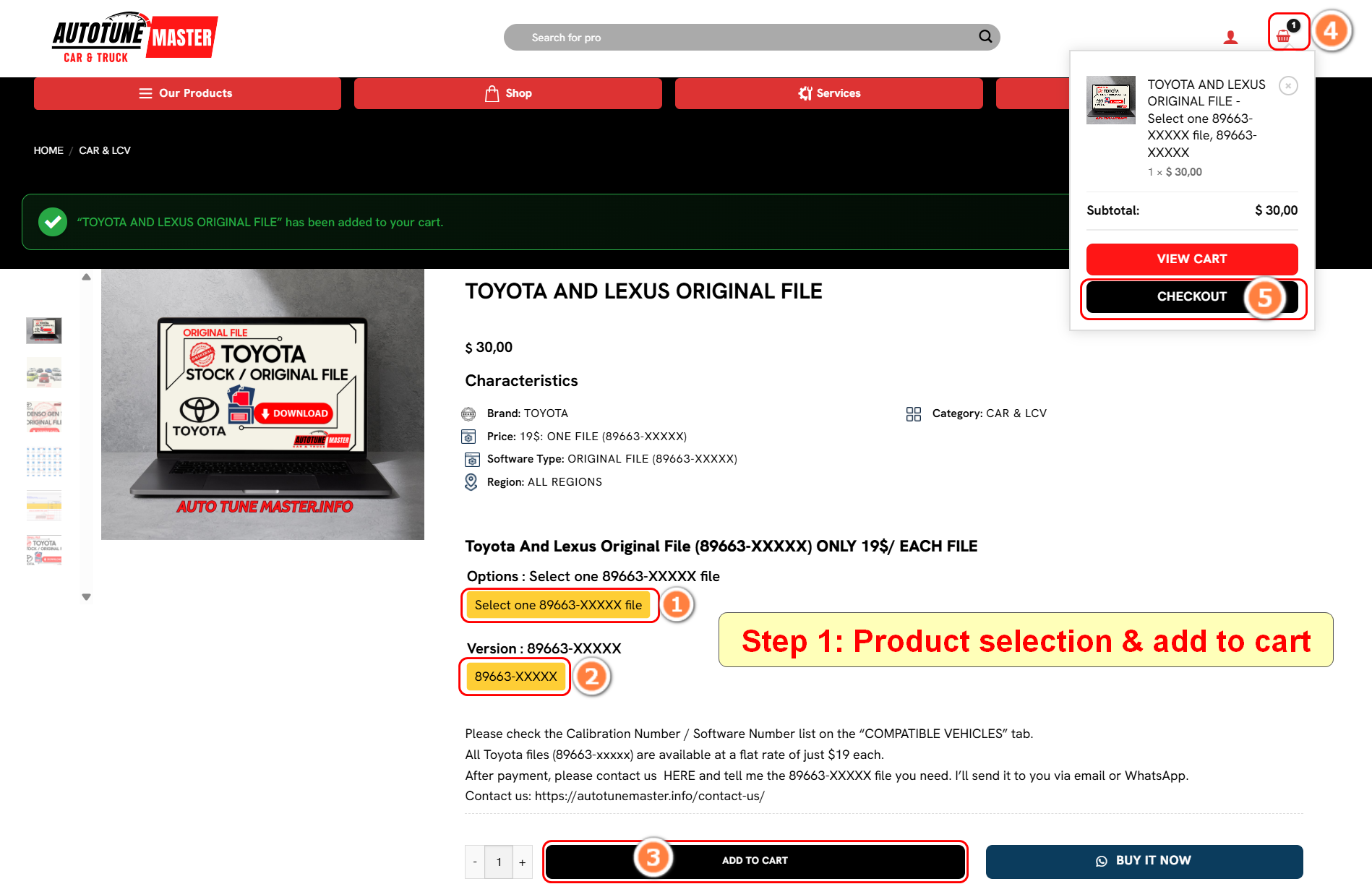
- Select the product you are interested in.
- Then click to choose the ‘options’ and ‘version’ you want to purchase (refer to positions No. 1 and No. 2)
- Click ‘ADD TO CART’ (position No. 3).
- Click the shopping cart icon at the top (position No. 4).
- Select ‘CHECKOUT’ (position No. 5) to start the payment process.
STEP 2: PROCEED TO PAYMENT
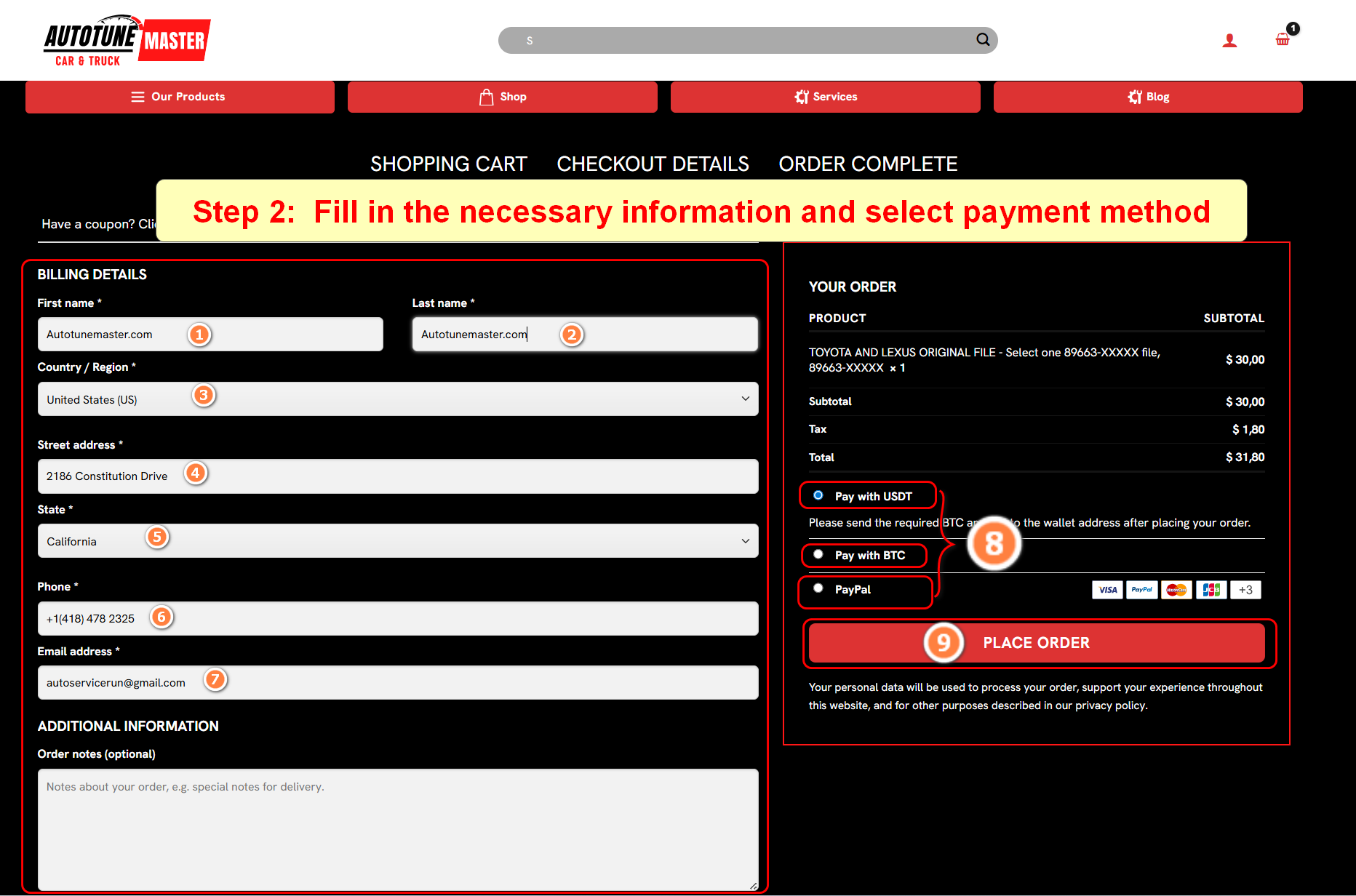
- Fill in all the required information as shown in the image below (from position No. 1 to No. 7).
Note: Fields marked with an asterisk (*) are mandatory; please do not leave them blank. - Choose the payment method that suits you (from position No. 8 to No. 9).
-
Payment via Crypto (USDT or Bitcoin – BTC) (we recommend this method due to higher security and lower hidden tax/fee costs).
-
Choose PayPal if you use PayPal as your payment method.
You can also pay using Visa, MasterCard, or Debit card,…
-
- Finally, select ‘PLACE ORDER’ to proceed with the payment.
STEP 3: FOLLOW THE INSTRUCTION PROVIDE BY THE PAYMENT GATEWAYS
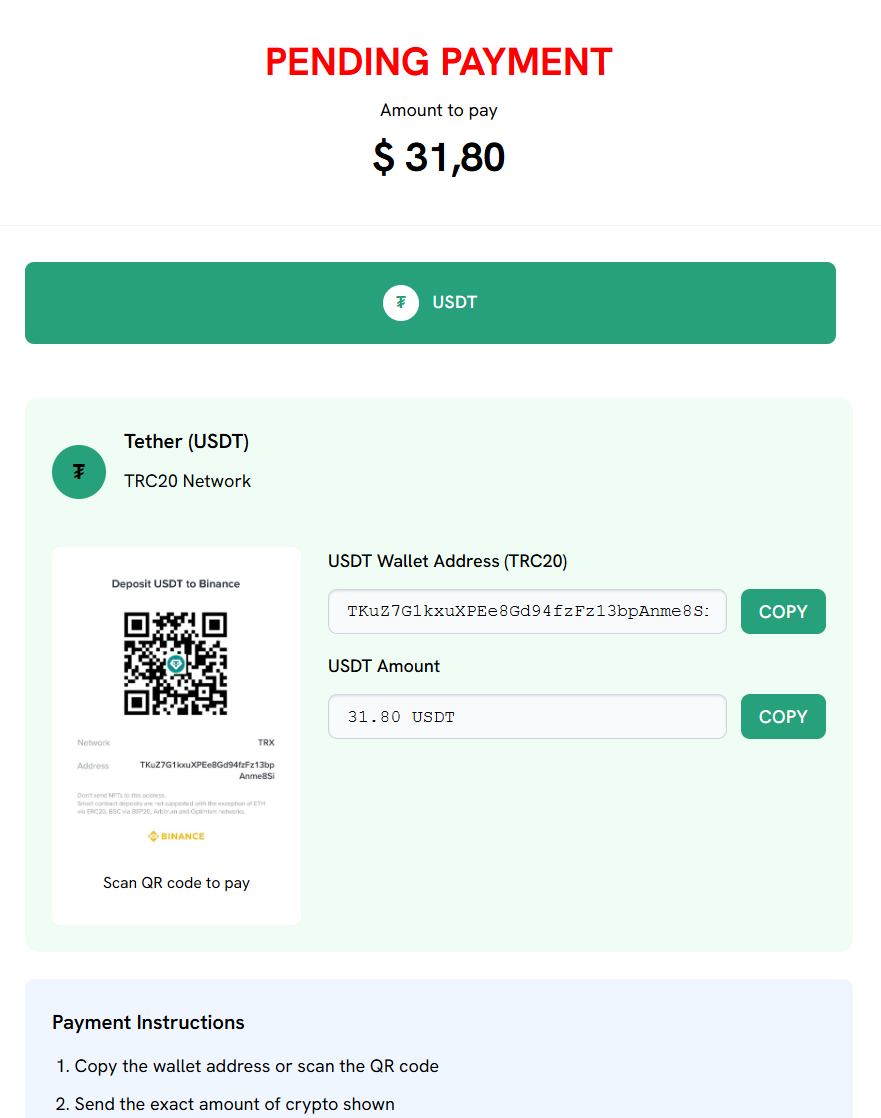
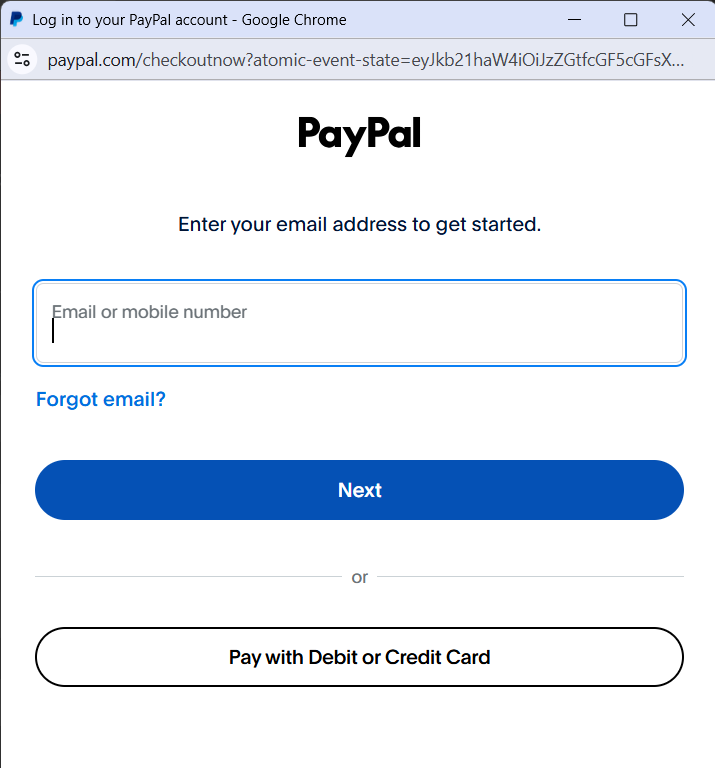
Follow the instructions provided by the payment gateways.
———————————————————
We wish you success!!
For any support requests, please feel free to contact us
 Email: autoservicerun@gmail.com
 WhatsApp: +1(418) 478 2325
 Website: Autotunemaster.info